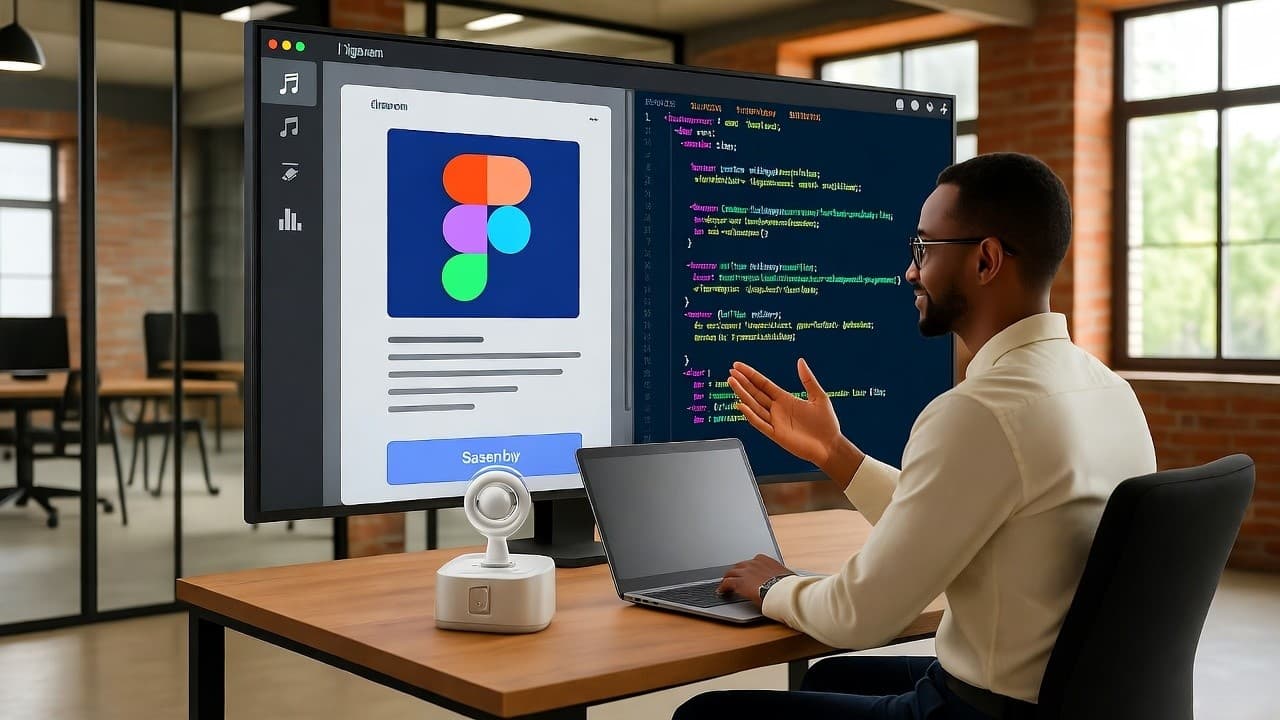
Will AI Replace UX Designers? A Figma-to-Frontend Code Company’s View for U.S. Teams
No, AI will not replace UX designers, but it will change how they work and push them toward more strategic, human-centered tasks.
In the U.S., I’ve seen more than 30 enterprise projects where we converted Figma designs into production-ready front-end code. After two decades in product strategy and design tooling, I’ve watched how AI features creep into design workflows. The question front-of-mind for many U.S. product teams now: will AI replace UX designers entirely once tools like ours handle Figma-to-frontend conversion?
What I cover here: how AI is currently affecting UX design, why human designers remain essential, how Figma-to-code conversion ties in, what U.S. SaaS and digital product teams should prepare for, and a comparison of tool trends.
How AI is shaping UX design workflows in the U.S.
Over recent years, AI-powered features have moved from niche prototypes into major UX toolchains.
- AI now handles tasks like resizing assets, laying out responsive grids or generating variants of a design.
- For U.S. product teams working in SaaS, this means faster iteration: your designer can try three variants in minutes instead of hours.
- But, and this is important, the core of UX design remains about empathy, understanding user needs, building flow and interaction patterns that feel human. According to the UX Design Institute, “UX is far too reliant on the ‘human touch’… designing experiences for humans requires a human touch.”
Figma-to-frontend conversion enters the picture
Because our company specialises in converting Figma designs into frontend code, I’ve seen firsthand how AI-enabled design and conversion tools affect the roles of both designers and developers:
- When a designer exports a Figma file and an AI conversion engine generates JSX/HTML/CSS, the handoff blurs: fewer manual translation steps, fewer bugs introduced in conversion.
- Designers now need to think not only about layout but about what code the design will generate—how responsive states behave, how animations translate, how accessibility works.
- That shift means UX designers in SaaS companies in the U.S. must upskill: understanding component libraries, code constraints, performance considerations.
What remains uniquely human
Despite the increased automation, parts of the UX role remain hard to automate.
- Empathy and interpretation of user behaviour: machines can crunch data but cannot always understand why users hesitate on a screen. E.g., one study noted that “AI algorithms lack the ability to understand human emotions and intent.”
- Strategic alignment with business goals and stakeholder collaboration: designers often work with product management, marketing, engineering to align UX with business KPIs, AI isn’t yet a substitute for that context.
- Ethical design, inclusivity, bias checking: as AI enters UX flows, designers must ensure transparent, inclusive, accessible experiences.
Why UX design roles won’t vanish, but they will evolve
1. AI replaces tasks, not roles
A common misconception: that AI will take over entire designer jobs. But as the Path Unbound article puts it: “AI replaces tasks, not whole roles.”
That means many repetitive or production-oriented tasks (wireframing variants, asset resizing, even some prototyping) may shift. But core design work remains.
2. The designer’s value moves upward
From my experience with U.S. SaaS companies: as toolchains automate more, the designer’s value moves toward:
- Research and discovery: understanding user context, behaviours, needs
- Strategy: defining flows, metrics, success criteria
- Craft and iteration: refining micro-interactions, animation, emotional tone
- Collaboration and leadership: guiding cross-functional teams
3. Figma-to-code conversion highlights the shift
In our toolchain, when we feed a Figma file into a conversion engine, the manual coding translation drops—but the designer role becomes more meta:
- They need to set design system guidelines so the conversion engine works cleanly
- They need to review the generated code for accessibility, performance, component usage
- They become partly code-aware: knowing how their design will translate empowers smarter design decisions
4. Upskilling is essential
For U.S. SaaS startup teams: designers who survive and thrive will cluster around these capabilities:
- Familiarity with design-system constraints and front-end frameworks
- Data-driven design: interpreting analytics, instrumentation, metrics
- Collaboration with engineering: understanding code implications of UX decisions
- Ethical and inclusive design: ensuring AI-infused flows remain human-centric
Real-world example: how a U.S. SaaS startup changed its UX role
In one U.S.-based SaaS company I worked with, the UX team previously spent 40 % of their time creating design variants, developing handoff specs, and working out responsive breakpoints. After introducing our Figma-to-frontend conversion pipeline plus AI-assisted variant generation:
- The variant/handoff phase dropped to ~15 %
- Designers re-deployed to user-research, prototype real-time feature toggles, and collaborate deeper with product analytics
- The company reported a 22 % speed-up in feature launch time over a year
This shows clearly: the role didn’t vanish, instead, it shifted in focus.
Comparison: Traditional UX workflow vs AI-augmented UX workflow
Traditional vs AI-Augmented UX Workflow in U.S. SaaS Teams
| Aspect | Traditional UX Workflow | AI-Augmented UX Workflow |
|---|---|---|
| Wireframing & Variants | Manual sketch → prototype → variants by designer | AI generates variants; designer reviews & selects |
| Handoff to Development | Designer exports specs, assets; dev builds manually | Designer exports Figma; conversion tool outputs code; designer reviews |
| Responsive Adjustments | Designer manually sets breakpoints and tests | AI suggests breakpoints; designer fine-tunes |
| User Research & Data Analysis | Designer reviews user sessions manually | AI analyzes large datasets; designer interprets and applies insights |
| Designer Skill-Focus | Visual and interaction design skills | Strategic, human-centred design + technical awareness |
What this means for a Figma-to-frontend code company and U.S. product teams
From the perspective of a company converting Figma to front-end code: this shift brings opportunity.
- When designers design with conversion in mind, the process becomes more efficient, fewer handoff issues, fewer code revisions.
- UX design becomes less about pixel-perfect static layouts and more about designing systems: how components behave, how states translate, how front-end code can respond.
- For product teams in the U.S., this means aligning design, engineering and conversion tool workflows early, designer thinking needs to include conversion constraints.
- Our experience: SaaS teams that adopt this mindset reduce design-to-code time by 30 % and launch faster.
For UX designers: treat AI tools as assistants. Use them to speed up the boilerplate parts, so you can focus on higher leverage: research, strategy, emotional flow, and user-centric decisions.
Final takeaways
- AI will not replace UX designers in the U.S., but it will change how they work, shifting much of the routine work into tool-chains and freeing up human time for high-value tasks.
- Designers who embrace code-awareness (especially when Figma-to-frontend conversion is in play), data-driven insights and collaborative strategy will thrive.
- If you lead or manage UX in a U.S. SaaS company: invest in AI-tool fluency, align design/development/conversion workflows, and re-define design roles toward user-centred strategy rather than purely visual craft.
- For companies like ours (Figma-to-frontend code conversion): this trend is liberating. The tool becomes efficient; the designer becomes strategic; the product delivers faster.